What Is My IP?
What Is My IP? Find Your IP Address, Location, ISP and More
Opening a browser and searching “what is my IP” will show you a string of numbers. This number may not look too important, but the address actually contains a lot of information. Your public IP helps websites send information back to your device. It can give your internet provider and your general location, but it will not give your home address.
It will start to get confusing. Different devices give different addresses. Your IP can also change if you restart your router. A phone may show an address that is different than what your router gives, if you connect it to mobile data. Private IPs, public IPs, IPv4, IPv6, and a VPN will all give you more confusion with this concept.
This guide will explain what IP addresses are, as well as why they are important. I will show you how to find your own IP address and give you an understanding of how IP security and privacy work, as well as of IPv4 and IPv6. With all these answers, you will read IP information easily and not fall for the myths that are associated.
What Is My IP Address?
An IP address is your internet identifier. With IP, you have a protocol for communication for internet data. When you connect your computer to the internet, you need an IP address. When your device connects, an IP address tells internet services where to send the data. Think of your IP address as your internet delivery address. Requesting a web page sends a message to a server. You need your IP address to send the response to your internet.
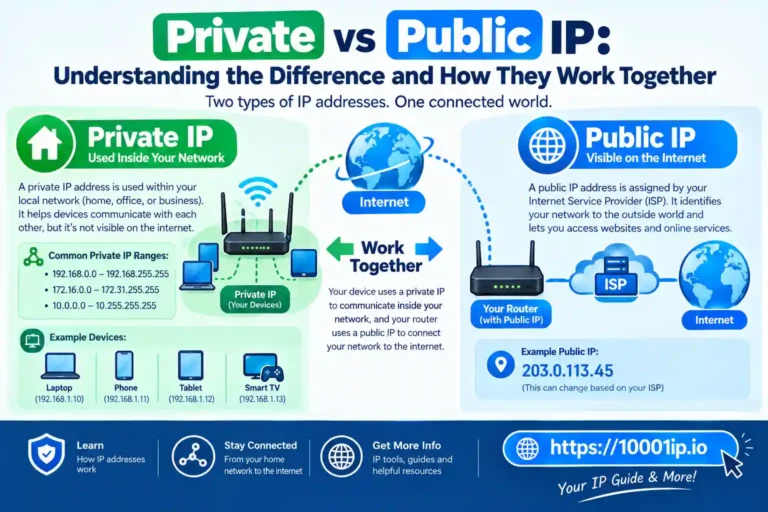
A public IP does not equal an individual device. Multiple devices can be behind the same public IPv4 address. This setup is usually seen with home routers, but can be seen in public or office networks as well. From IANA, IPv4 and IPv6 are both actively used. IPv4 uses 32-bit addresses, while IPv6 uses 128-bit addresses.
What Information Does My IP Address Show?
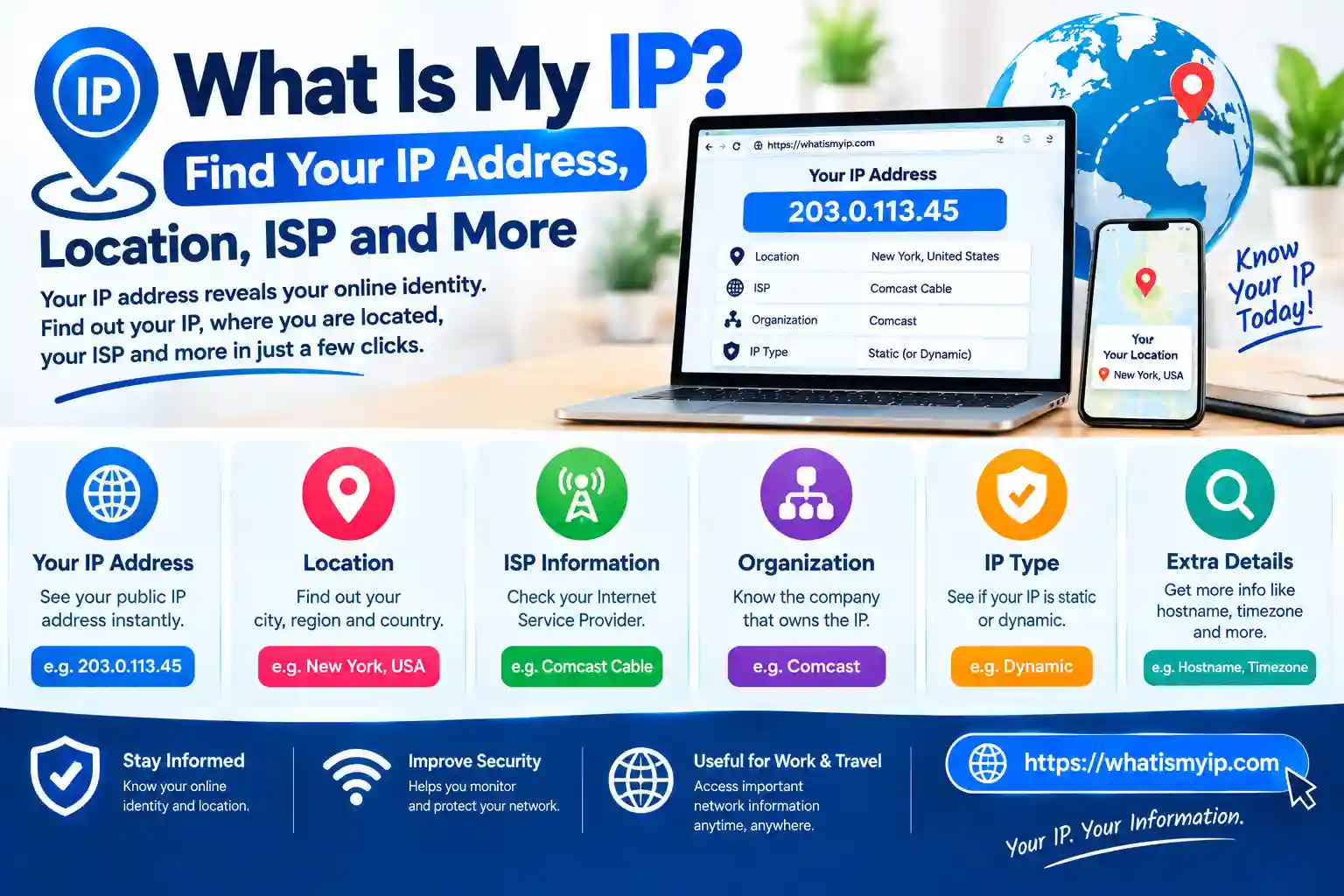
With an IP lookup, you can learn information about your network. Most IP checker services show you your public IP address. They can also provide information about your approximate location (country, city, region), your Internet Service Provider (ISP), your network, your timezone, and your Autonomous System Number (ASN).
An IP lookup can display:
- Your public IPv4 or IPv6 address
- Your approximate city and country
- Your Internet Service Provider (ISP)
- Your network
- Your timezone
- Your ASN
This information is located in databases that track IP registrations and look up locations.
When determining “what is my IP location,” it is important to note that this information comes from these types of databases.
Why Does My IP Address Keep Changing?
When you see an IP address that was not previously seen, do not assume there is a problem. Most residential users receive a dynamic IP address. Your ISP determines a dynamic IP address from a range of addresses offered by that ISP. The address may change even after a temporary internet connection. Network maintenance or a change in address also causes the address to change.
According to Cloudflare, the use of temporary dynamic addresses is common for the average internet user. Static IP addresses are used primarily for businesses and for servers. Your IP address will change if you change networks. Your home Wi-Fi uses your home ISP. Your mobile data uses your cellular provider. Accessing the internet through work, hotels or cafes gives you a public IP. A VPN makes websites think that your device is at a different address.
What Is a Static IP Address?
A static IP is less likely to change to a new IP within a short period. For predictable and consistent needs of network access, organizations assign static addresses. Static-addressing services are useful for external services that require consistent addresses, such as servers. Example use cases include remote access systems and business infrastructure. Dynamic addresses are more than sufficient for most internet users as services that require static addressing, such as browsing, are few.
Static address services may attract additional charges from Internet Service Providers (ISPs). It is normal and expected to have your IP addresses change typically.
How Can I Find My Public IP Address?
Finding your public IP address is quite easy. Visit an IP address checker using any internet browser. The page displays your public address. You usually do not need any additional software. Finding your public IP address by searching “what is my IP” also works. Keep in mind that a public IPv4 address may quite possibly represent your router and does not mean that your individual devices at home are identified. If you are using a VPN, the address that your website sees is the public address of your VPN, not your router.
How Can I Find My Private IP Address?
To find your private IP address, you would need to go into one of your connected devices’ network settings. On a Windows computer, run Command Prompt and enter ipconfig. Your private address is the IPv4 address of your currently connected network. You can also find your router’s Default Gateway IP from here. On a Mac, open the network settings of your connected Wi-Fi network. Your local private IP address is located somewhere within the TCP/IP settings.
To find out more about your WiFi connection in the settings menu on either Android or iOS, select your connected network. Private addresses often start with 192.168, 10 or 172.16-31. These types of addresses do not have meaning outside of the connected private networks.
Can Someone Find My Exact Address From My IP?
Normally not. An IP lookup will typically give a range of half a country, maybe less. It can give a city or region, at best. It will not show your house. Public databases do not provide geolocation data to this extent. Your ISP has this data on your account and user record, but this information is generally not available via an IP lookup. So, in general, knowing your public IP does not tell someone your house. Still, sharing too much information is never great. Different sources create even more privacy risks.
What Does My IP Address Reveal About My Privacy?
Knowing your IP tells websites a bit of information. It can give them your estimated region and your ISP. They can, at the very most, detect you for fraud prevention. Streaming services do this for regional licensing. Advertisers can do this as well. Your IP address does not give them your name. It will not give them your passwords or browsing history.
If someone knows some of your information, there are definitely privacy risks. This can include user accounts, IP information, cookies, browser fingerprints, etc. IPv6 has some privacy mechanisms. Also, privacy mechanisms prevent long-term correlation for temporary addresses of IPv6.
Conclusion
Where is my IP? This is a simple question. A general definition is an IP address is a unique number assigned to a connection that identifies the device within a network. Public IP addresses can be seen by internet services if your connection is online. Private IP addresses are only visible in your local network. Although your IP address cannot give your home address, it can still give your location, ISP and general network information.
IP addresses use the protocols of IPv4 and IPv6. IPv4 is the original protocol and is still predominantly used while IPv6 has a bigger capacity for fixing and growing the protocol. IP addresses are dynamic and can change at any given time. This can happen when you join a different network, get a new connection, use mobile data, or use a Virtual Private Network (VPN). Knowing how IP addresses work can give you the power to adjust your privacy and network options.
FAQs
What is my IP?
An IP address is your computer’s unique number for identifying and communicating with other computers on the internet.
What is my public IP address?
To find out your public IP address, you can go to a website saying “what is my public IP” or do an “IP address lookup”.
Can someone find my location using my IP address?
While an IP address shows an approximate location of a city or region, it fails to show my exact location.
Why does my IP address change?
Most ISPs give their clients a dynamic IP address. Therefore, your IP address is bound to change from time to time.